“Where’s item 14?”
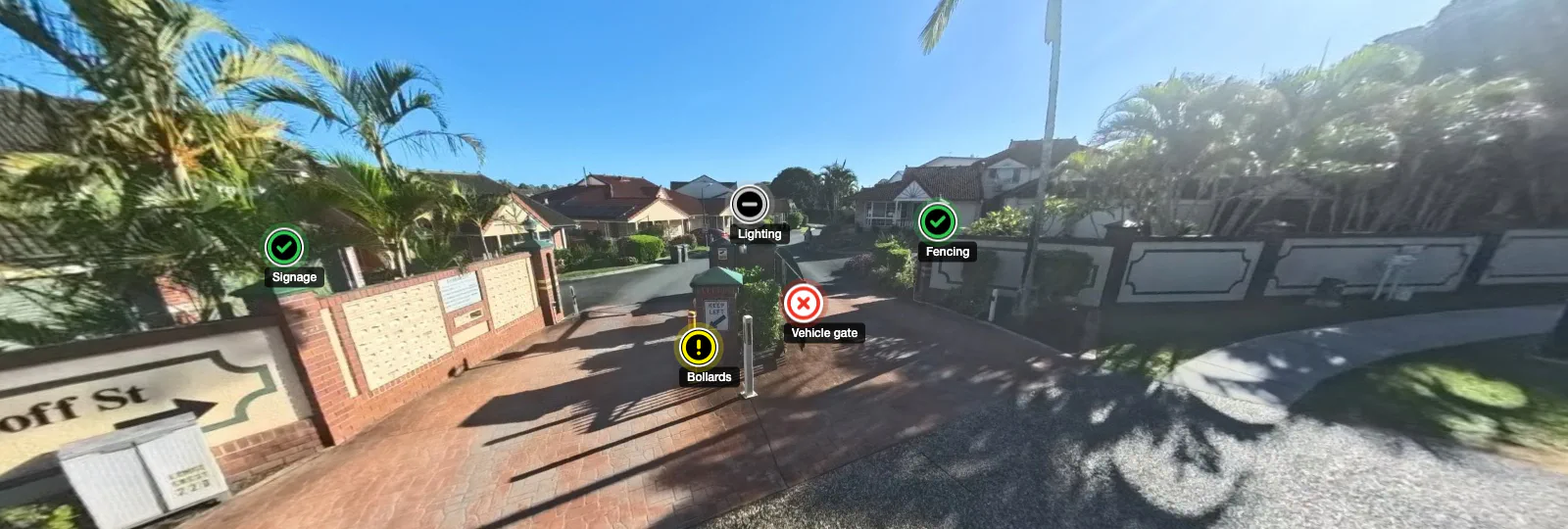
Here.
Inspection reports that show where. Every finding opens at its exact spot in a 360° photo, so your client sees what you saw.
From the site to your client.
- 1 Shoot the site Walk it with your 360 camera and upload the photos. Each one becomes a place in the tour.
- 2 Pin each finding Right-click the spot. Record the test, what you observed, the status and photos, using wording saved in your Library.
- 3 Publish a link The report and the 360 tour share one link. Add a password if the job calls for one.
- 4 Your client clicks through No account needed. Next to each finding, “View in tour” opens the photo at that spot.